Website architecture
When I started building gomepage, I had only the front page. Despite not having any content, I added stub pages for sections of the site I knew I wanted to add. Each of these served as a persistent prompt to me to eventually add that section of the site. There’s no shame in having unfinished parts of your personal site (it’s a work in progress!), but I knew I would be embarassed to have those stubs up forever. It was a way of pushing my future self to follow through.
This worked out pretty well for me, and I’ve continued to use use stubs for new parts of the site as I build. If you’re building a personal site, I’d encourage you to consider a similar approach.
Web design seems a little like architecture to me: obviously you have to know what your building will be used for (in a site, that’s your content). With that in mind, you have to design the structure: you may have various rooms (pages) for different purposes, and they may fit together into larger substructures within your building.
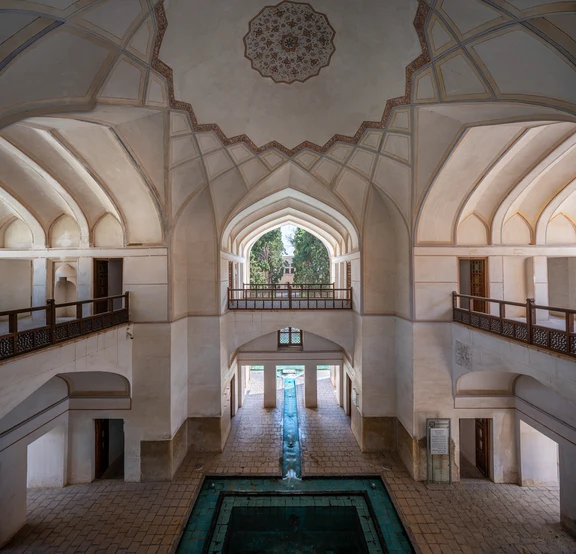
You have to consider how these pieces fit and flow together, how someone is expected to move through the building and make use of it. You also have to consider the overall experience and feeling of the building, which is helped along by all the small details and stylistic choices.
One neat advantage you have in making a website is you aren’t limited spatially. With hyperlinks, your pages can connect in any way you want to specify. Imagine a building where every room had a door to every other room, or a straight hallway that somehow loops back on itself.
Often, in a website, it makes sense to fall back on familiar conventions for ease of navigation, like hierarchical organization or linear sequences of pages. But it’s nice to keep in mind how much freedom you have when it comes to structure in web design, and to consider whether a less conventional structure might fit your needs.
Keep in mind that with hyperlinks, multiple structures can coexist alongside one another. For example, my journal has three indices:
- the default index, which shows the most recent posts and links to the other indices,
- the topical index, which organizes posts by category along with little bits of commentary,
- the chronological index, which shows all posts from oldest to newest, with links to jump to a specific month or year.
Each index serves a different purpose and provides a different type of structure over the same set of pages.
I would like to experiement more with coexisting structures like this, but I would like for the structure to emerge organically from the functional needs of the site, rather than me adding it for its own sake. I’ll be on the lookout for more opportunities to try it out, though!
Are you building or thinking about building a website?
Have you considered it from an architectural or structural perspective?
Do you have any ideas for novel ways to structure a site?
Let me know your thoughts at my Ctrl-C email: gome @ ctrl-c.club.